Quick answer: a WebView app is a real Android app whose interface is a browser engine rendering your HTML. For content, forms, catalogues and commerce it is indistinguishable from native on modern phones and takes days instead of months. It falls short on heavy animation, background work (sync, geofencing), and deep hardware such as Bluetooth or NFC. If your website is the product, wrap it; if the app must do things a website cannot, go native.
What a WebView app gives you
- One codebase — the site you maintain is the app.
- Updates without releases — when the app loads a live URL, changing the site changes the app, instantly, with no review queue.
- Skills you have — HTML, CSS and JavaScript instead of Kotlin, Compose and the Android lifecycle.
- Speed to ship — a conversion is an afternoon; a native rewrite is a project.
- Small download — the shell is about 4–5 MB.
What it costs you
- The top end of smoothness — content and forms feel native; 120 fps gesture-driven interfaces and complex animation do not.
- Platform behaviour — Material components, system share sheets and predictive back are approximated in CSS or skipped.
- Deep hardware — Bluetooth, NFC, background services, widgets and background location are largely out of reach.
- Startup — the WebView must initialise and your page must render, which is why splash screens matter more here.
- Offline is opt-in — native apps hold their UI locally; a WebView app only does if you bundle the content.
Which fits what
| Project | Better fit | Why |
|---|---|---|
| Content site, blog, documentation | WebView | The content is the product |
| Online store | WebView | Catalogue and checkout are already web-shaped |
| Internal dashboard | WebView | Changes constantly; releases would slow it |
| Booking and forms | WebView | Forms are a solved web problem |
| Media-heavy social feed | Native | Scroll performance, media pipelines |
| Camera or AR | Native | Direct hardware access |
| Offline-first with sync | Native | Background work, local databases |
| Beyond-casual game | Native or engine | Rendering and input latency |
| Fitness or location tracking | Native | Background location is unavailable to a WebView |
The hybrid middle
A WebView app need not be a bare wrapper. The shell can add native behaviour around the web content:
- a native splash screen and launcher icon;
- a bottom tab bar switching between sections — native chrome, web content;
- push notifications through a messaging SDK;
- pull-to-refresh, offline fallback pages, hardware back handling;
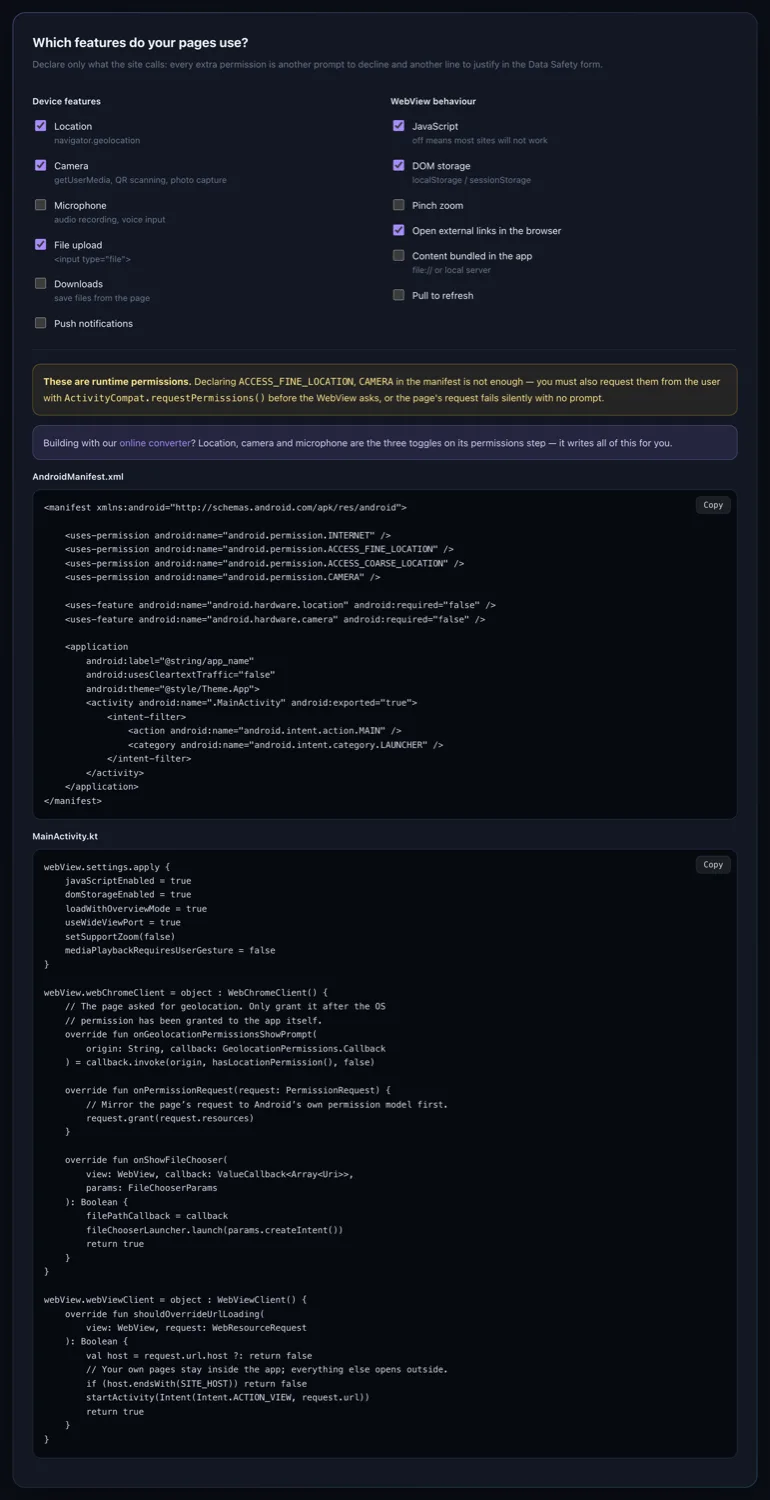
- camera, microphone and location via the WebView's permission callbacks.
That covers a large share of apps that go native out of habit rather than need.
Three deciding questions
Is the website the product, or a stand-in?
If people already use the site, wrapping it is distribution. If the app is meant to become something the site is not, wrapping postpones a rewrite you have already decided on.
What happens with no signal?
If the honest answer is "nothing works", you need bundled content or a native app with local storage. A spinner on the train is how apps get uninstalled.
Must anything happen while the app is closed?
Background sync, geofencing, scheduled uploads — a WebView cannot. That one requirement usually decides it.
About the "cheap wrapper" reputation
It is earned by bad examples: a URL in a frame, a browser error page offline, a back button that quits, an icon that is a screenshot. Fix those — bundle or cache content, handle the back stack, design a real icon and splash, strip every trace of browser chrome — and the objection largely disappears. Plenty of apps you use daily render big parts of their interface in a WebView without you noticing. The technology is not the tell; the care is.